What a Vector Database Actually Does (That a Normal Database Can't)
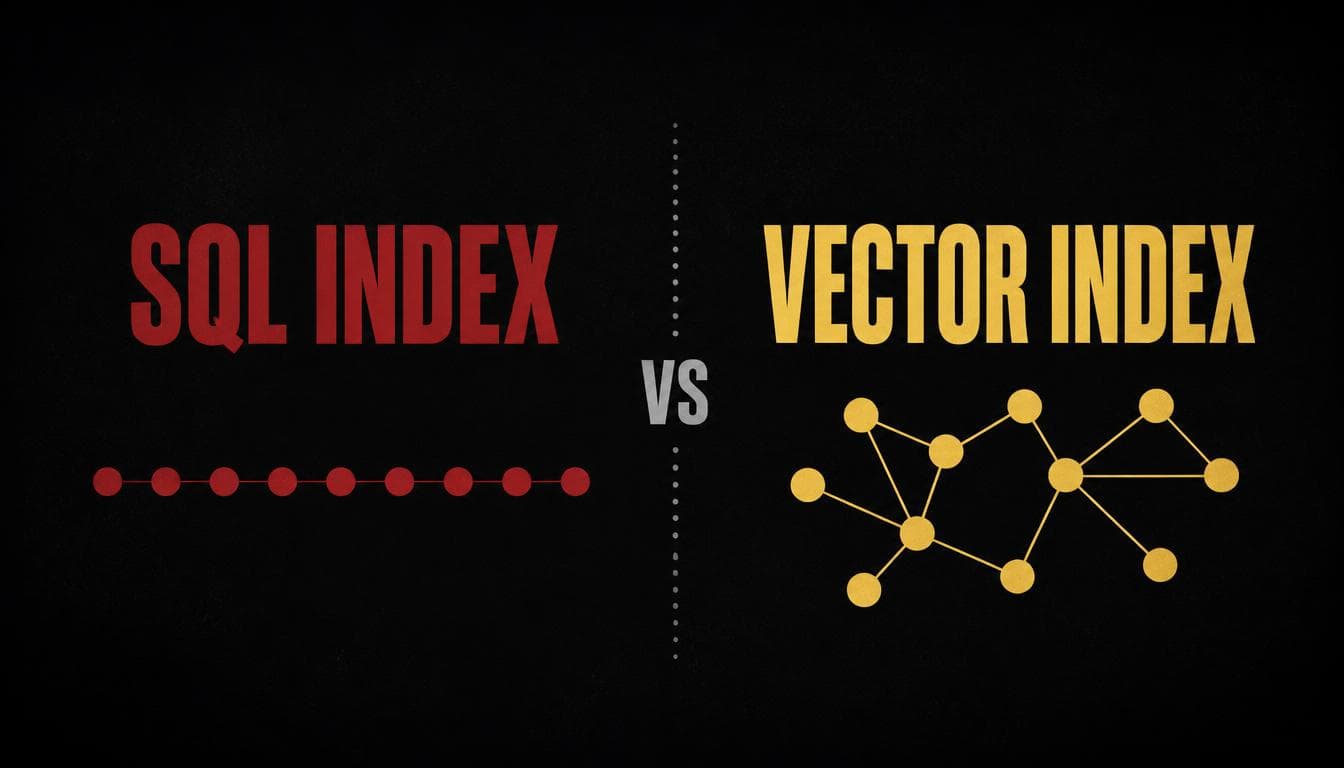
A reasonable question, if you already know SQL well: why not just store embedding vectors in a normal database column and query them the usual way?
CREATE TABLE documents (
    id SERIAL PRIMARY KEY,
    text TEXT,
    embedding FLOAT[]  -- just an array of numbers, right?
);

-- find the closest match to my query vector?
SELECT * FROM documents
ORDER BY embedding = '[0.12, -0.05, 0.33, ...]'
LIMIT 5;
That last query doesn't actually work, and the reason it doesn't is worth sitting with, because it's not a syntax problem — it's a completely different kind of question than the ones a normal database index was built to answer.
The real question
What does "find the closest match" actually require, that "find the exact match" or "find everything in this range" doesn't?
Why the ordinary index can't help here
A normal database index — a B-tree, the workhorse behind most WHERE and ORDER BY performance — works because the values it's indexing have one clear, natural order. Ages sort from low to high. Dates sort from earliest to latest. Given that single sorted order, a B-tree can jump straight to roughly the right spot instead of scanning every row, the same way you'd flip straight to the "M" section of a phone book instead of reading every name from "A."
An embedding vector doesn't have that kind of order. It's not one number — it's a few hundred numbers at once, and "closeness" depends on all of them together, in a combination that doesn't collapse into a single sortable value. You can't line up every vector from "smallest" to "largest" the way you can with ages or dates, because there's no single dimension being smallest or largest in the first place. Ask a B-tree "what's close to this specific point in 384-dimensional space," and there's no sorted order for it to walk — the entire premise a B-tree depends on doesn't apply.
Normal index (one dimension, sortable):

  age:  ─18───25───31───42───57───63──→
              ↑
        "find people near 30" is a
        clean, well-defined slice
        of one sorted line


Embedding (hundreds of dimensions, no single order):

  [0.12, -0.05, 0.33, 0.08, -0.21, ...]
  [0.09,  0.14, 0.31, 0.02, -0.18, ...]
  [0.44, -0.09, 0.02, 0.31,  0.05, ...]
              ↑
        no single "sorted line" exists
        that captures closeness across
        all these dimensions at once
The fallback that actually works — just not efficiently
If sorting doesn't apply, the honest fallback is: compare the query against every single stored vector, one at a time, and keep the closest ones. This is usually called a flat or brute-force search.
def flat_search(query_vector, all_vectors, top_k=5):
    scores = [cosine_similarity(query_vector, v) for v in all_vectors]
    ranked = sorted(range(len(scores)), key=lambda i: scores[i], reverse=True)
    return ranked[:top_k]
This is completely correct — it genuinely finds the true closest matches, no approximation involved. It's also exactly what a small-scale system can get away with: comparing against a few thousand stored vectors takes a small fraction of a second. The problem only shows up at scale. Comparing a query against ten million stored vectors, one at a time, every single query, stops being fast no matter how efficient the comparison math is — the cost grows in direct proportion to how many vectors you have stored, with no shortcut available.
What a real vector database actually adds
This is the actual answer to the opening question. A dedicated vector database doesn't reinvent indexing from nothing — it builds a different kind of index, purpose-built for "find what's close in many dimensions" instead of "find what's equal or in-range on one dimension." Two common approaches:
- HNSW (Hierarchical Navigable Small World graphs) connects vectors into a multi-layered graph, where each vector links to a handful of its nearby neighbors. A search starts at a coarse, sparse top layer and hops toward the right neighborhood, then drops into progressively denser layers to refine the answer — similar in spirit to how you'd navigate a city by first picking the right district, then the right street, rather than checking every building in the city individually.
- IVF (Inverted File Index) pre-clusters all the stored vectors into groups of similar ones. A search first figures out which cluster(s) the query vector likely belongs to, then only compares against vectors inside those clusters — skipping the overwhelming majority of the dataset entirely.
Both trade a small amount of accuracy (you might occasionally miss the single mathematically-closest vector in favor of one that's extremely close but not quite optimal) for a large, often massive, speed improvement — turning "compare against everything" into "compare against a carefully chosen fraction of everything."
Side by side
| B-tree (normal DB index) | Flat search | ANN index (HNSW / IVF) | |
|---|---|---|---|
| Works on | Single sortable value (date, age, price) | Any vector, any dimension count | Any vector, any dimension count |
| Result accuracy | Exact | Exact | Approximate — usually very close, occasionally not the true top match |
| Speed at scale | Fast — barely touches unrelated rows | Slow — touches every single row | Fast — touches a small fraction of rows |
| Good fit for | WHERE age = 30, ORDER BY price | Small vector collections (thousands) | Large vector collections (millions+) |
The actual rule
An index isn't a generic speedup — it's a data structure shaped around one specific kind of question, and "closest in many dimensions" needed an entirely different shape of index than "equal to" or "between," not just a faster version of the same one.
Why this matters beyond vector search
It's tempting to treat indexing as a solved, generic problem — add an index, things get faster. The more useful mental model is narrower: an index encodes an assumption about how you'll ask questions of the data, and it only pays off when your actual query matches that assumption. A B-tree assumes "give me things equal to, or ordered relative to, one value" — which is most everyday database querying, but not this one. Whenever a normal index quietly fails to help with a query that feels like it should be fast, it's usually worth asking not "why is this slow" but "what shape of question am I actually asking, and does any index that exists actually match that shape" — because the fix is rarely "add more index," it's "add the right kind."